Do you want to manage the access to you network on a friendly and simple way?
No problem, you can do it with Access Manager integrated in the Meraki dashboard.
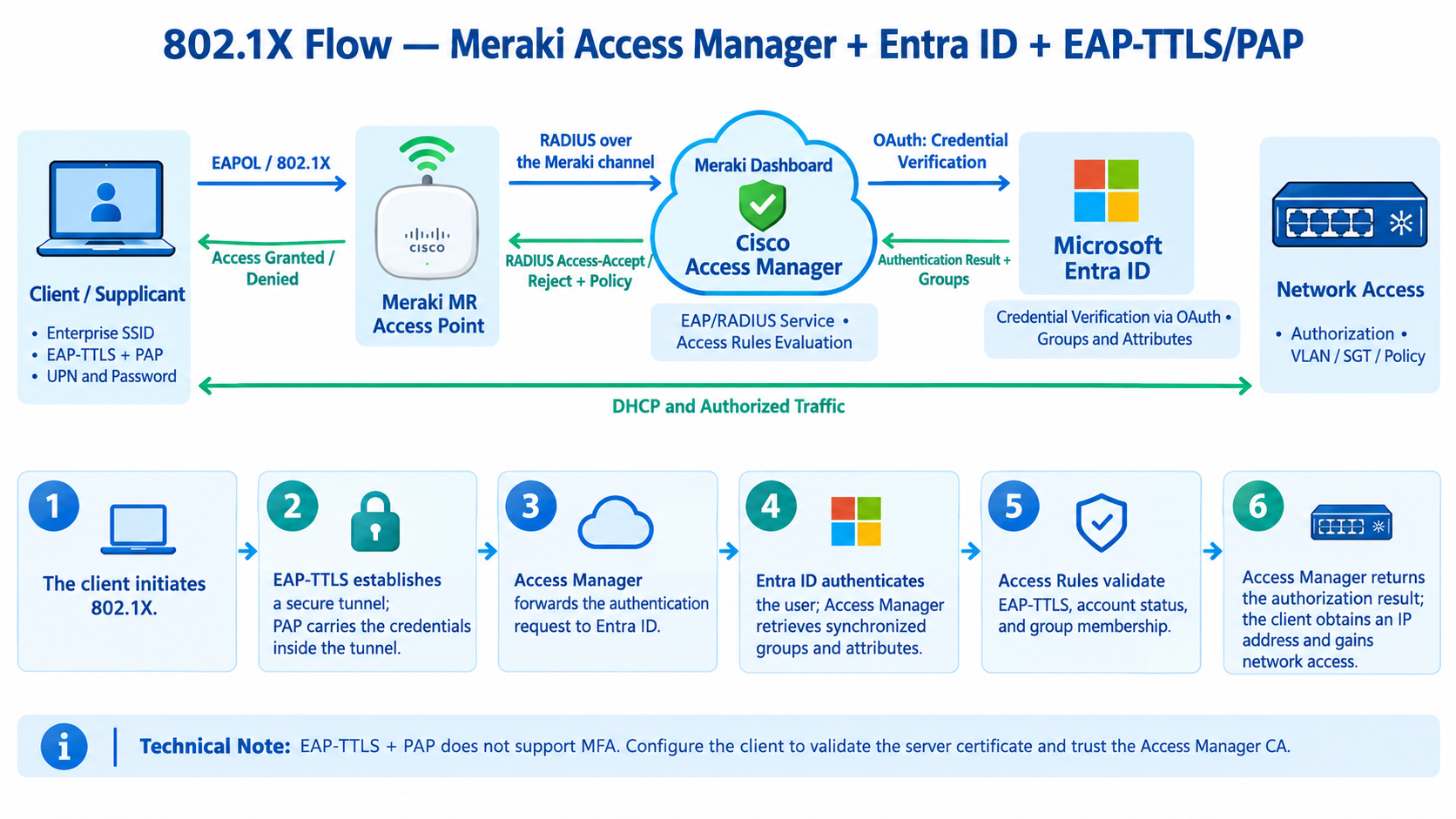
Here is the authentication flow diagram for Cisco Meraki Switches, APs + 802.1X + Access Manager integrated into the Dashboard + Microsoft Entra ID + EAP-TTLS/PAP.
The diagram illustrates the credential flow, identity verification, policy evaluation, and network access authorization.
The sequence is based on the official Cisco Meraki documentation.
How the Flow Works
- Client / Supplicant: Initiates 802.1X authentication and provides the UPN and password.
- Meraki AP or Switch: Carries the EAP exchange to Cisco Access Manager.
- Access Manager: Receives the credentials via EAP-TTLS/PAP and forwards the verification request to Entra ID via OAuth.
- Microsoft Entra ID: Verifies the credentials; Access Manager retrieves the user’s groups and attributes.
- Access Rules: Evaluates the conditions, such as the EAP-TTLS protocol, enabled account status, and membership in the Employees group.
- Authorization: Access Manager returns the result to the Meraki device, which applies the appropriate authorization, such as VLAN or SGT assignment, according to the configuration.
Important Technical Note: EAP-TTLS/PAP does not support MFA with Access Manager. It is also essential to configure the client to validate the server certificate and trust the appropriate CA.
For more information, refer to the official Cisco Meraki guide to EAP-TTLS/PAP username and password authentication with Entra ID.